EightBells Fleet Time Manager / Every watch. Every clock. One bell.
EightBells Fleet Time Manager features
Discovery and scan, fleet-wide timezone and NTP repair, nine remote modules, software inventory and silent uninstall, Undo, licence and requirements.
one month freeWindows
EightBells Fleet Time Manager is a Windows console for the computers in a ship’s Active Directory domain. It runs on one administration PC and reaches every other PC through WinRM, with no agent on the targets.
Discovery and scan
Every PC in the domain, checked in seconds
Load from Active Directory: all enabled computer accounts. Names matching NAS, PRINTER, SWITCH, ROUTER, -AP-, UPS- or CAMERA are skipped. Hosts can also be added by hand.
Scan All / Scan Selected / Re-scan flagged: ping with TCP 445, 3389 and 80 fallback, WinRM test, then timezone ID, UTC time, w32tm status, OS and uptime, in parallel.
Heartbeat Monitor: pings every 10 seconds and warns when a PC drops offline. Auto-scan repeats the full scan at an interval.
Live filter by name, show or hide offline PCs, sort by any column, double-click a PC for every detail.
Status
Meaning
SYNCED
Drift under 5 s, time source active
DRIFT
5 to 60 s (warning) or over 60 s (error) against the reference time
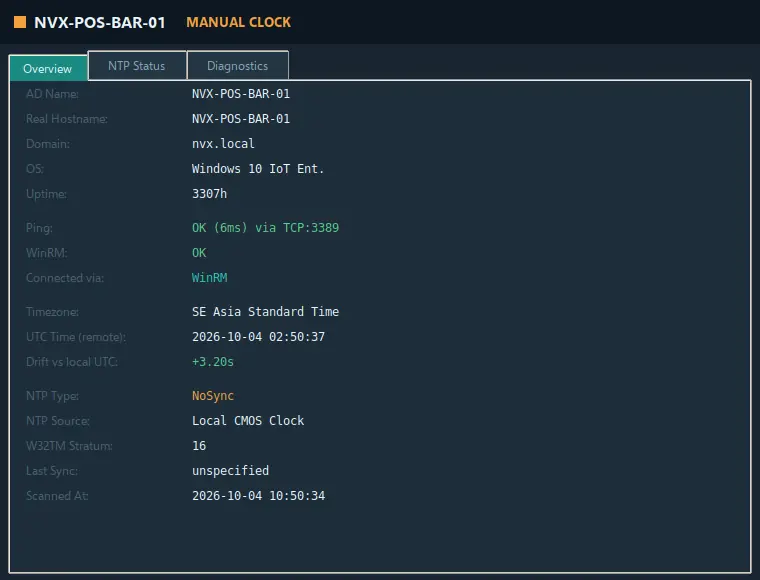
MANUAL CLOCK
The PC is not synchronising with any time source (Local CMOS Clock)
NO ACCESS
The PC answers, but WinRM is refused or stopped
OFFLINE
No answer to ping or to the TCP fallback ports
The reference time is set in Settings: this PC, an NTP server, or a value you type.
Details of one PC: identity, connection, timezone, remote UTC time, drift, NTP type, source and stratum.
Timezone
Fleet-wide, now or on schedule
Maritime list: fixed-offset zones with no daylight saving, recommended on board. Political list: every Windows zone, including DST zones.
Set TZ > Selected and Set TZ > All online, applied with tzutil on each PC, effective immediately.
Scheduler: timezone changes at a date and time, for all online PCs, the selection or a typed list of names. Jobs run while EightBells is open; a badge in the top bar counts the pending ones.
NTP and clock
Repair the clocks that do not synchronise
Action
What it does
Force resync
w32tm /resync /force on the selected PCs
Fix manual clock, Auto (domain)
The domain controller is pointed to the external source chosen in the sidebar; every other PC to the domain hierarchy
Fix manual clock, Domain hierarchy
The selected PCs sync from the domain controller
Fix manual clock, Direct NTP
The selected PCs use the NTP server directly, for when the DC itself is wrong or unreachable
Apply NTP server
Pushes the selected NTP server to all accessible PCs
A fix counts as successful only when w32tm actually received time from the source. If it reports that no time data was available, the PC cannot reach its source; on a ship that usually means UDP 123 to the internet is blocked, and the domain controller should use the ship’s GPS/NTP source instead.
Remote management
Nine modules, each with its own computer selector
System Overview
OS, RAM, CPU, disk C:, last boot, logged users, firewall profiles, BIOS version. Read-only.
Services
List with a name filter; start, stop, restart; startup type Automatic, Manual or Disabled
Software Inventory
Installed programs from the registry, fleet-wide search, silent uninstall, push install and update, CSV export
Remote Actions
Restart, shutdown, lock, log off all, clear temp, flush DNS, gpupdate /force, Windows Update, RDP on or off, popup message, registry value, file copy from a UNC share
Network Info
Adapters, IP, prefix, MAC, link speed, DHCP, DNS servers, default gateway
Event Log Viewer
System, Application and Security logs with level, Event ID and source filters, quick buttons for 6008, 4625, 7036, 1074 and 41
User Sessions
Active and disconnected sessions, forced log off
Process Manager
Top processes by CPU, RAM or name, end process
Printer Manager
Installed printers and queues, clear stuck jobs
Software inventory
Silent uninstall, in the right order
Read from the HKLM 64-bit, HKLM 32-bit and HKCU uninstall keys. Win32_Product is deliberately not used, because it can trigger MSI repairs.
Uninstall order: QuietUninstallString, msiexec /x for MSI packages, the EXE uninstaller with the common silent switches, the original command, then WMI. Exit codes 0 and 3010 (reboot pending) count as success.
Entries without an uninstall string: MSI product code, Uninstall-Package, Win32_Product, then AppX removal. Force purge removes the folder and the registry entry of leftovers.
Push Install / Update from a UNC share to C:\Windows\Temp on each PC, run silently, removed afterwards.
Undo and audit
Every change, with the state before it
Timezone, time source, services, Remote Desktop and registry changes are recorded with the previous state of each PC and can be undone: the last one with Ctrl+Z, or any selected entry.
Uninstall, purge, restart, shutdown, log off and end process are listed in grey for the audit trail.
Every action asks for confirmation with the list of target PCs, and is written to the session log file.
Export JSON with the full scan results, or an HTML fleet report that opens in the browser.
The built-in Help covers every chapter, from permissions to troubleshooting PCs that do not answer.
Licence and updates
Offline activation, update check you can ignore
24-hour demo with every function on first start, then a key bound to the hardware fingerprint of the admin PC. FULL keys have an expiry date, PERMANENT keys do not. The key is pasted or loaded from a .lic file and activated offline.
If the licence ends while EightBells is running it switches to read-only: scanning and reading continue, changes are blocked. Setting the system clock back is detected.
A few seconds after start EightBells checks antennapilot.com for a newer version and only tells you; it never downloads or installs anything by itself.
Requirements
What you need
Admin PC
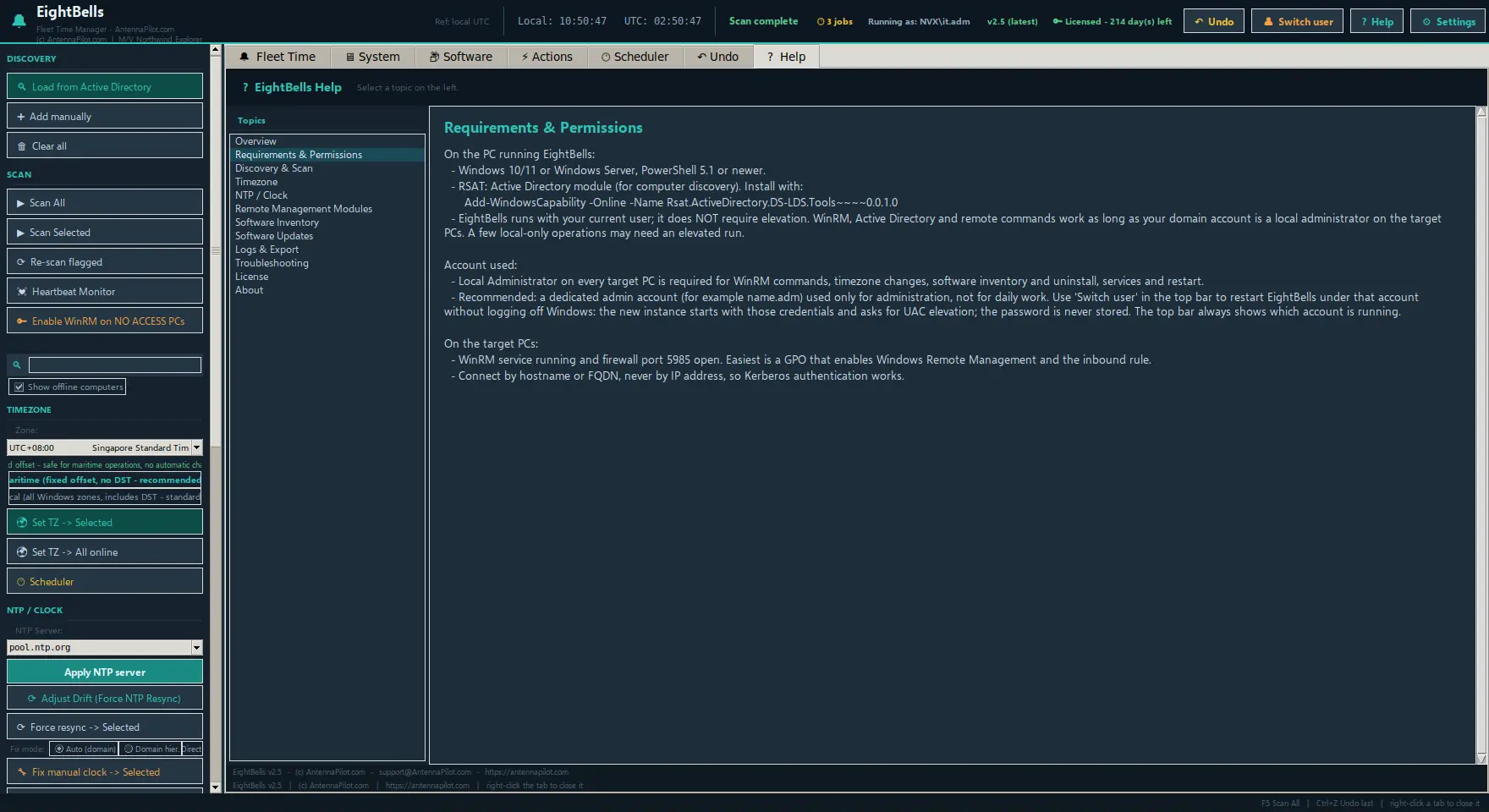
Windows 10 or 11, or Windows Server, with PowerShell 5.1 or newer, joined to the domain
Active Directory
RSAT: Active Directory module, for computer discovery
Account
Domain account that is a local administrator on the target PCs; elevation not required
Target PCs
WinRM service running and inbound port 5985 open, best set through a GPO; reached by hostname or FQDN, not by IP, so Kerberos works
Cookies on this site
We use a necessary cookie to keep forms secure. With your permission we also use Google Analytics to see which pages are useful. No advertising, no selling of data. Privacy policy