
Sound familiar?
Fifteen people, thirty devices, one firewall
A new group joins the ship: contractors, a film crew, new crew members. Ten or fifteen people come to your office with their personal and work laptops, phones and tablets. For each device you create a MAC Address Object, usually two per person. You try to keep the names clean, so you can still tell them apart next month. Then you add every object to the right Address Groups, one group at a time.
How long does that take you?
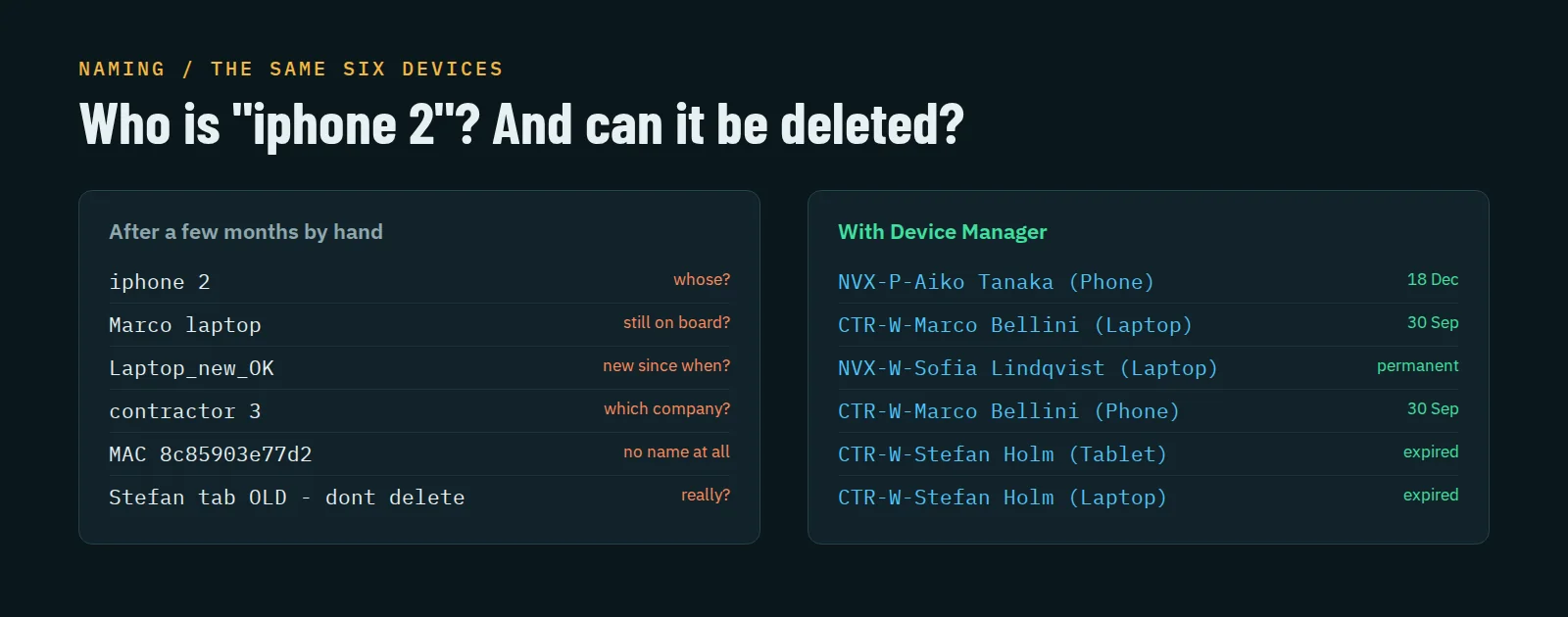
And when they leave: do you still know whom to delete? Which Address Objects are not needed anymore, which ones are still in a group, and which one was someone’s second phone?
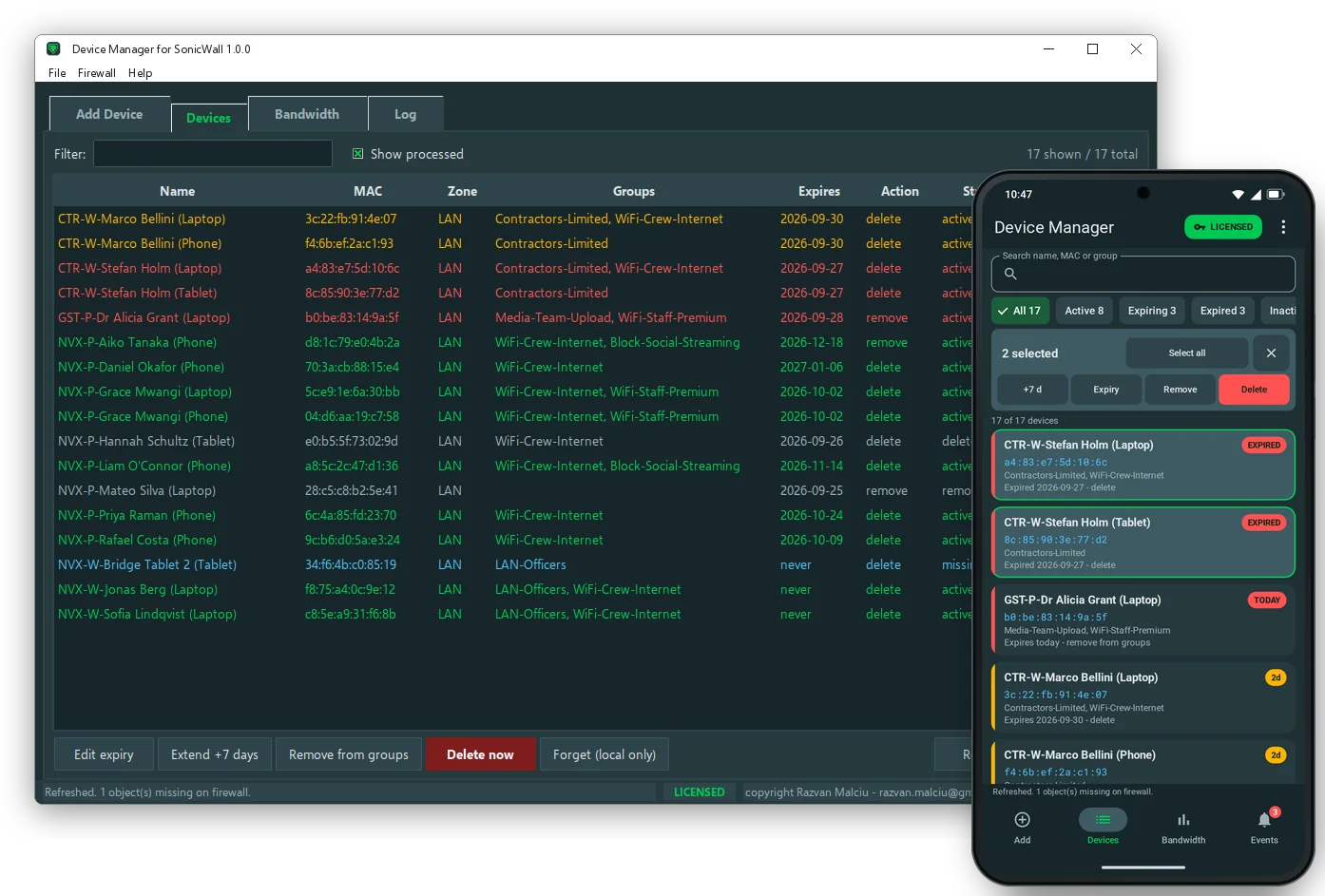
Device Manager for SonicWall does both halves of the job. It creates the MAC Address Objects with a consistent name, puts them in the groups you tick and gives each one an expiry date. On that date it shows you the list and, when you confirm, removes the devices from their groups or deletes them from the firewall.
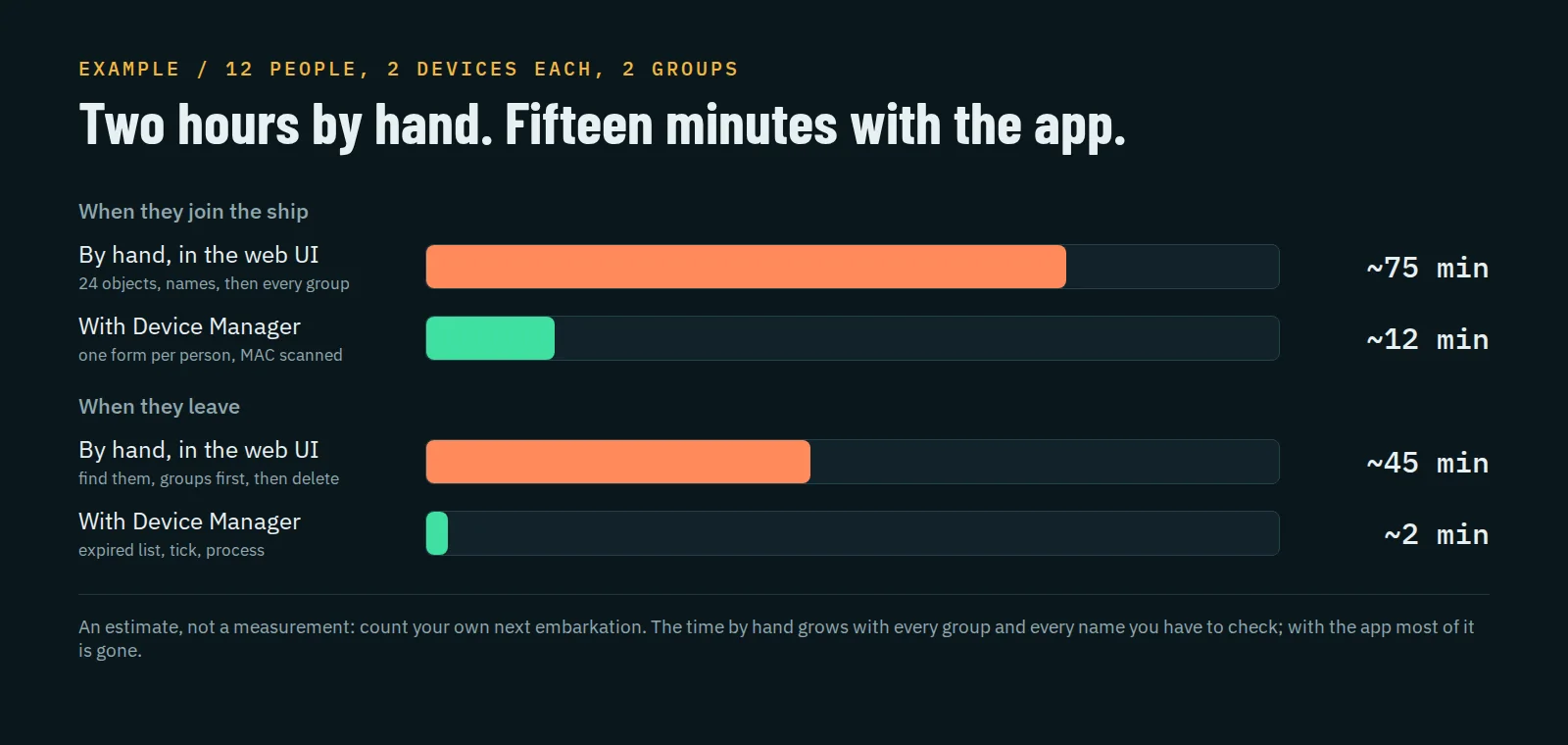
Embarkation day
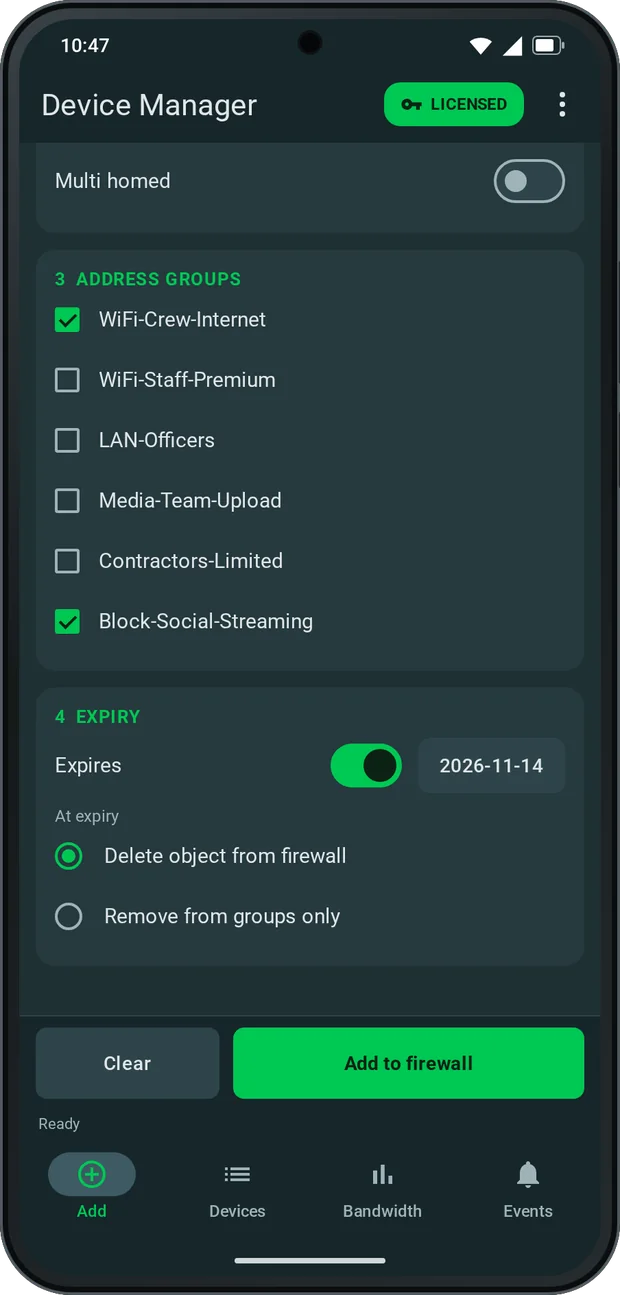
Add SonicWall MAC Address Objects in bulk, one form per person
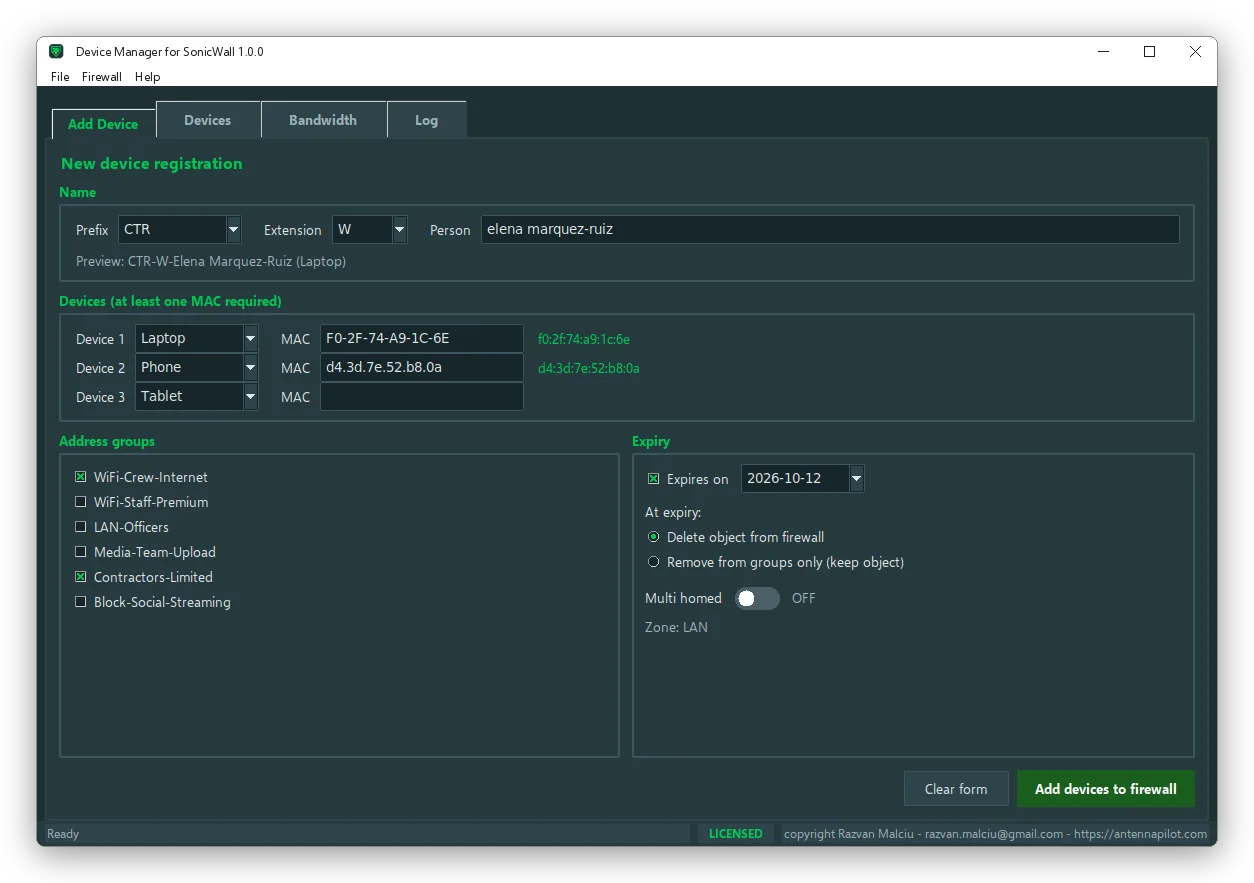
Choose the prefix and extension, type the person’s name once and enter up to three devices. The app builds every name for you, PREFIX-EXT-Person (Device), capitalises the name and shows the result before anything is sent. Tick the groups, set the expiry date, click once. It logs in, creates the objects, adds them to the groups, commits once and logs out.
No more typing MACs
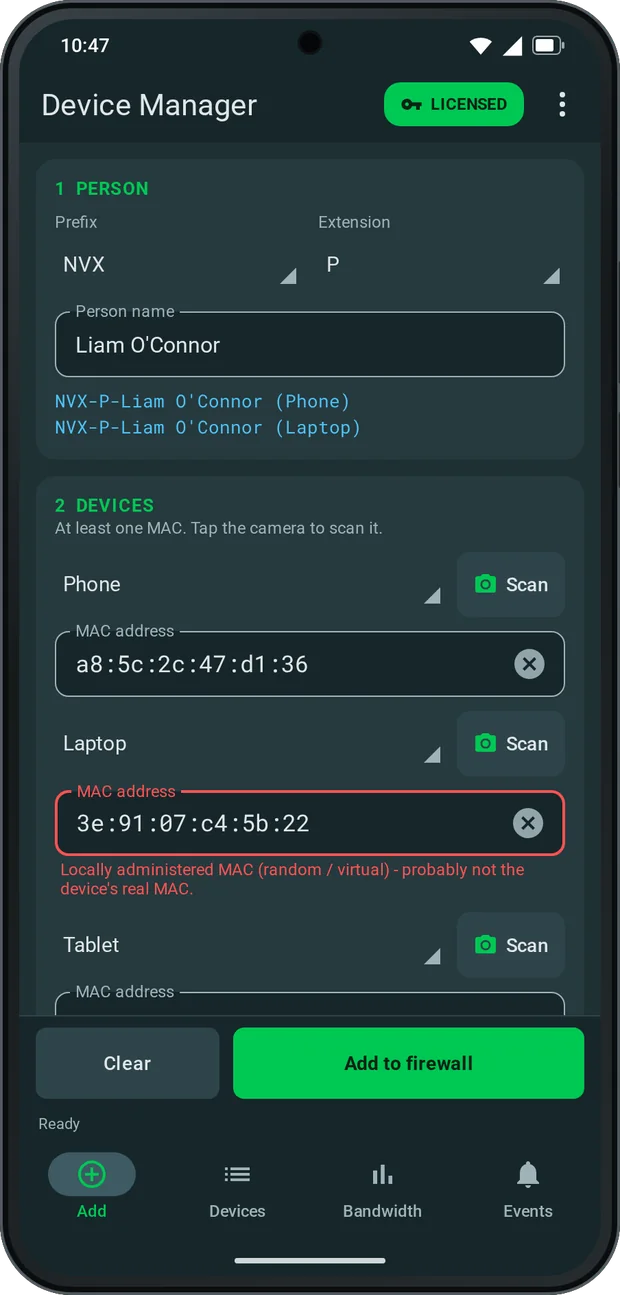
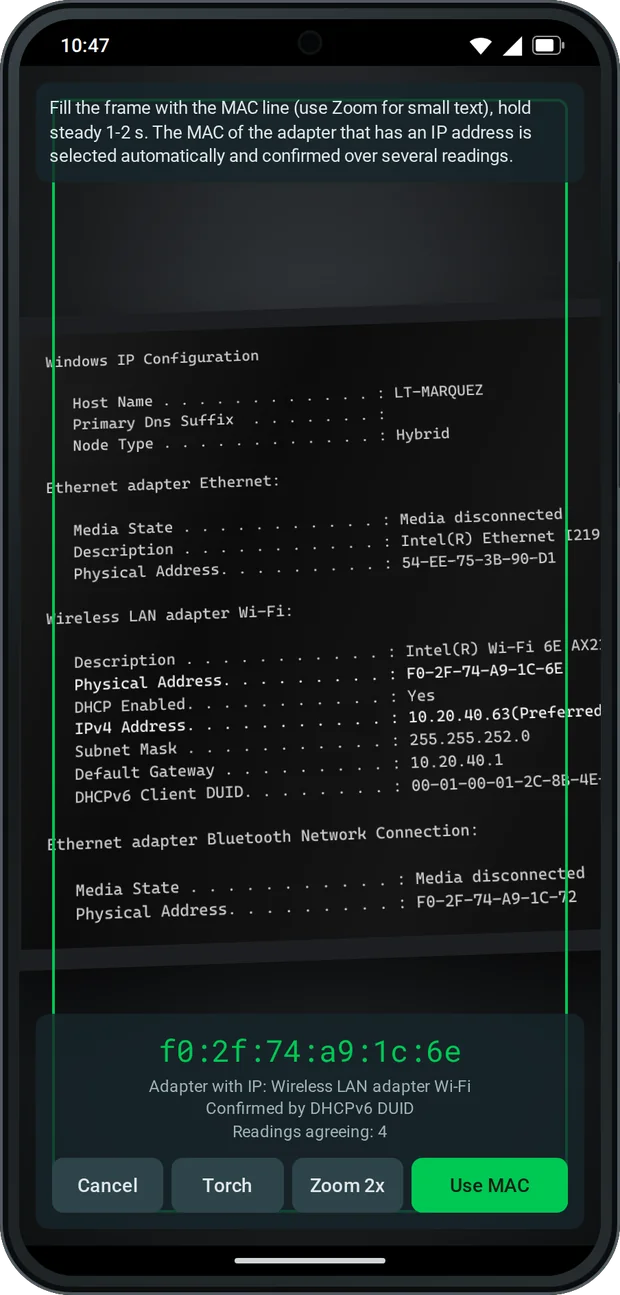
Scan the MAC address with the phone camera
On Android every MAC field has a camera button. Point it at an ipconfig /all window and the app reads the text on the phone itself, with no internet needed. It picks the Physical Address of the adapter that actually has an IP address, confirms it over several readings and, when it can, checks it against the DHCPv6 DUID. Disconnected adapters, Bluetooth and virtual adapters are ignored. It also reads the Wi-Fi details screen of an Android phone or an iPhone, or a label with a single MAC.
“It worked yesterday, today it doesn’t”
Phones can use a random MAC on every Wi-Fi network. Register that one and the device loses access the next time it changes. The app flags it in red, whether it was scanned or typed: when the screen says Randomized MAC or Private Wi-Fi address, or when the address itself is locally administered. You can still add it, but you know before the guest comes back.
No duplicates
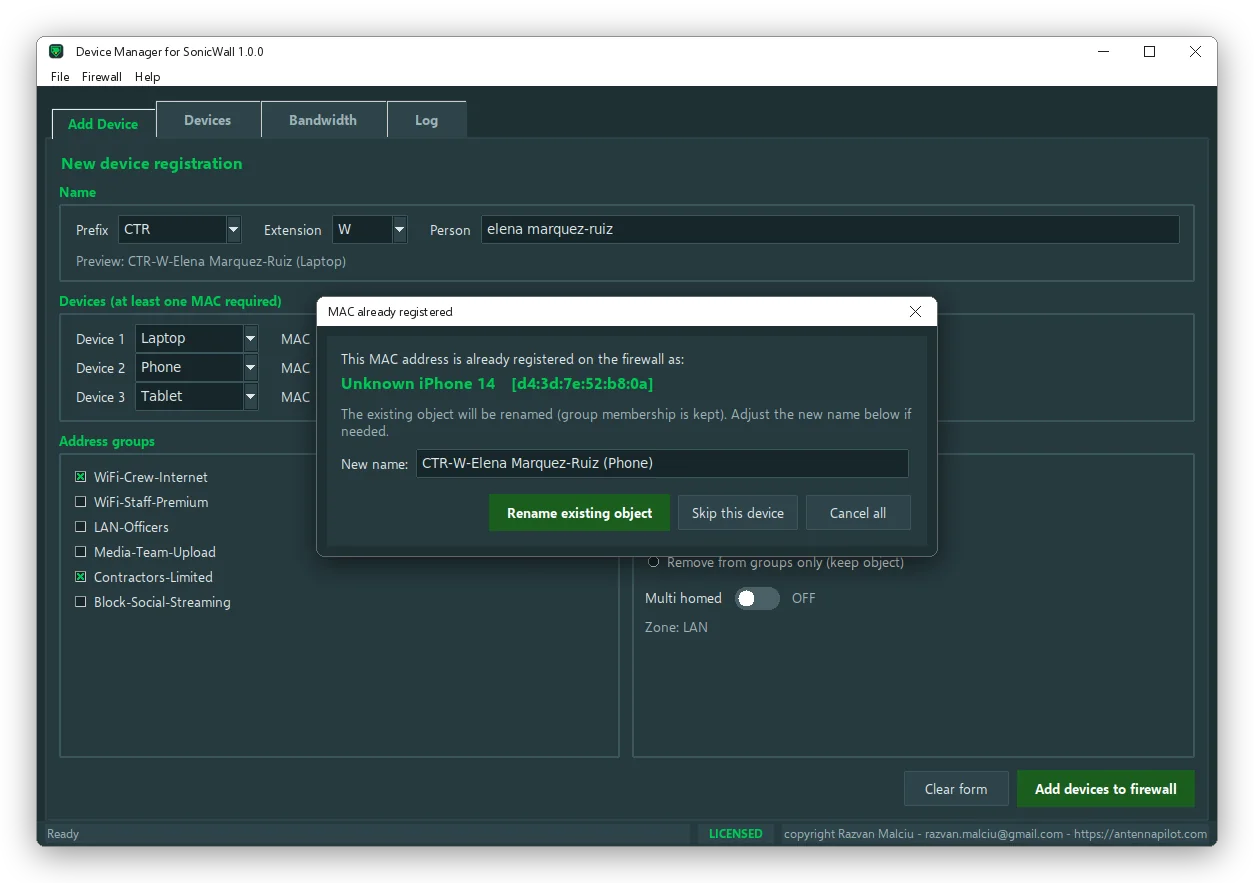
One MAC, one object, one clean name
Before creating anything, the app reads what is already on the firewall. If the name exists, you can update its MAC, save it under another name or stop. If the MAC is already registered under a name like “Unknown iPhone 14”, it offers to rename that object in place. Its group membership is kept and your ticked groups are added. The firewall never ends up with two objects for the same device.
Disembarkation day
Expiry dates for SonicWall address objects: remove from groups or delete
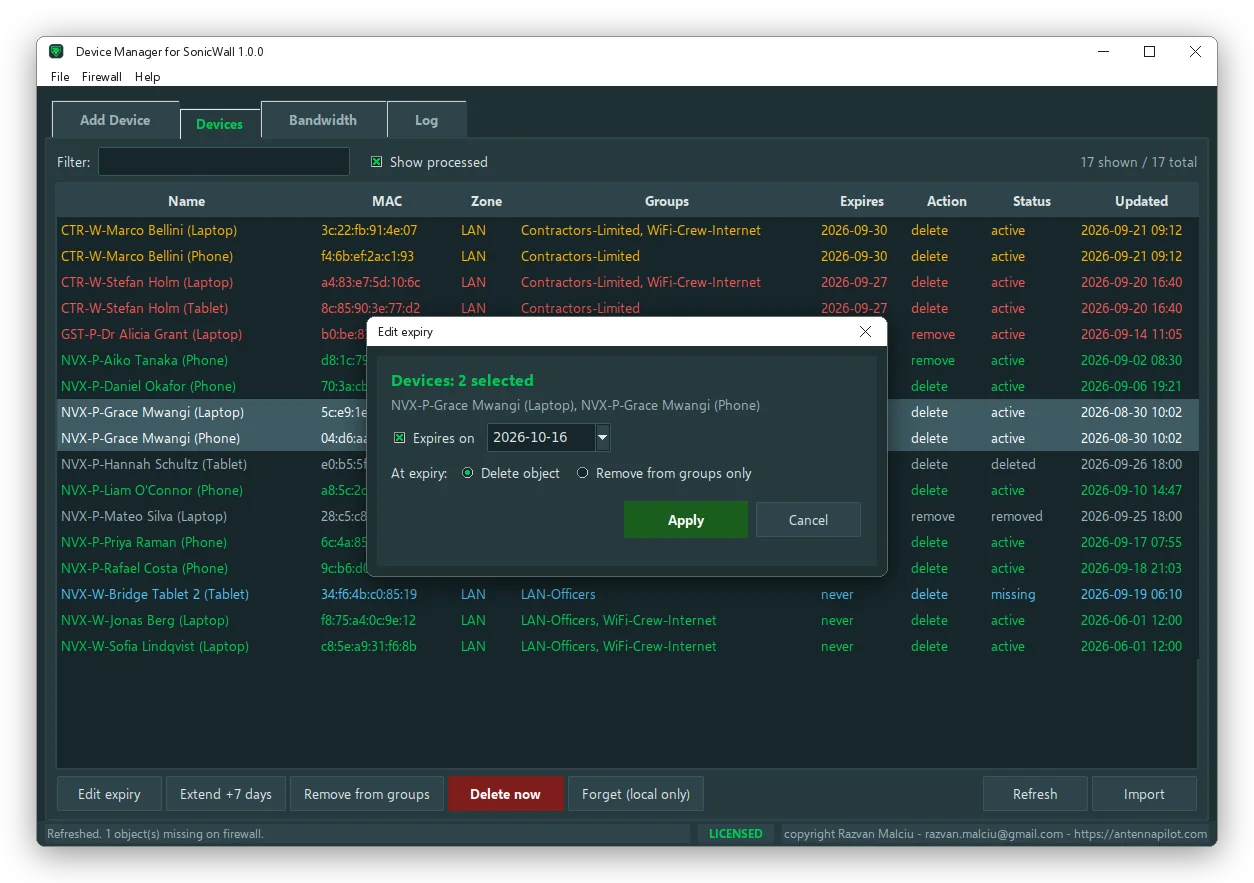
Every device can have an expiry date, and for each one you decide what happens on that date:
- Delete object: it is taken out of every group, then deleted from the firewall.
- Remove from groups only: the object stays, out of the groups, ready for the next contract.
- No expiry: permanent crew and ship equipment stay as they are.
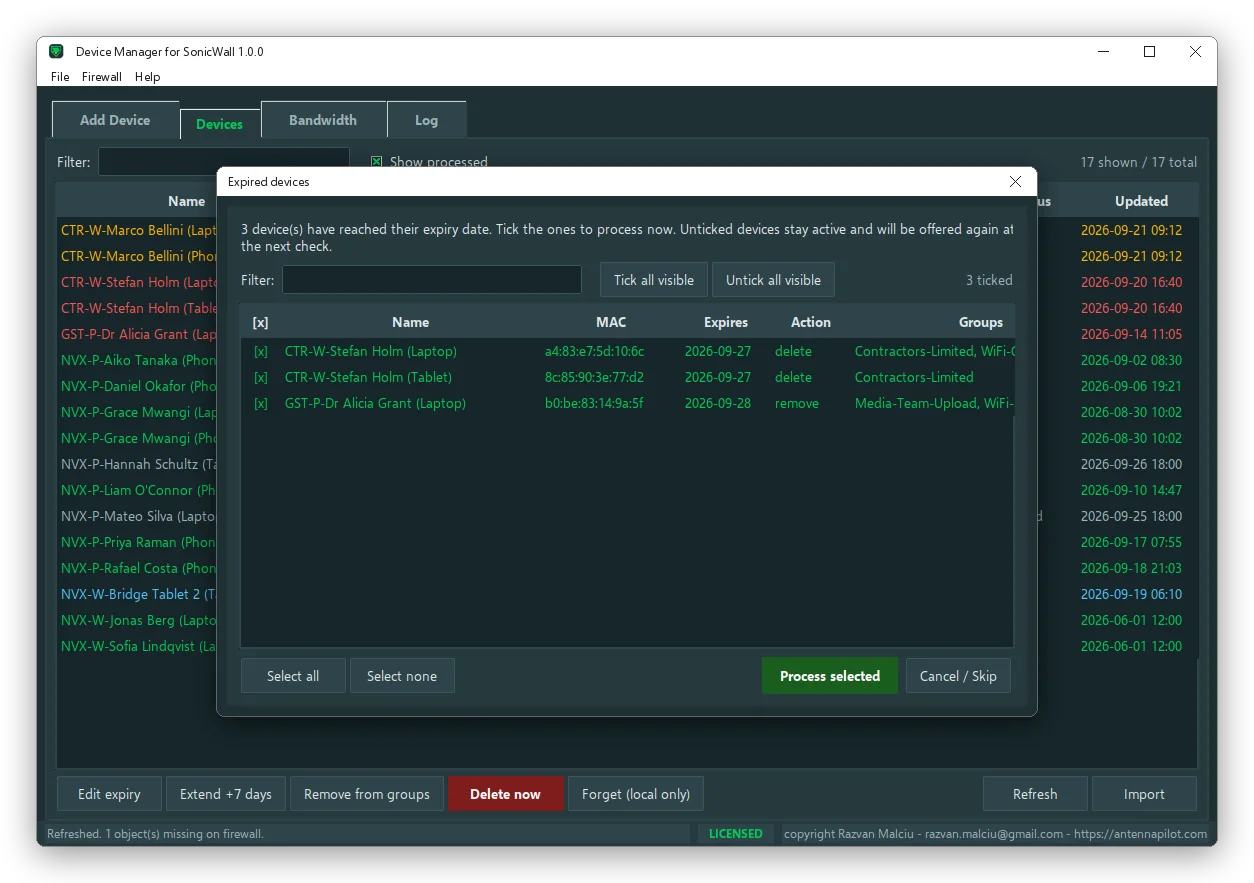
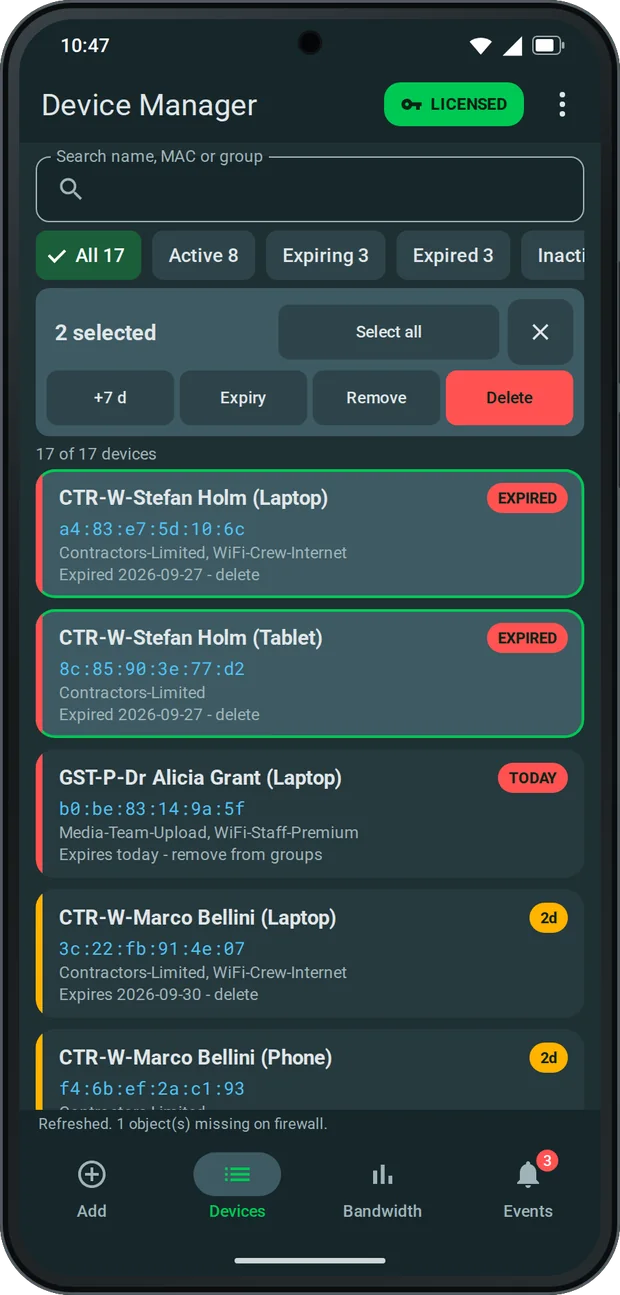
When the app starts, and then at the interval you choose, it looks for expired devices and shows them in a list with checkboxes. Nothing is deleted without you: tick, process, done. Anything left unticked is offered again at the next check.
At a glance
Colours that answer “what needs my attention?”
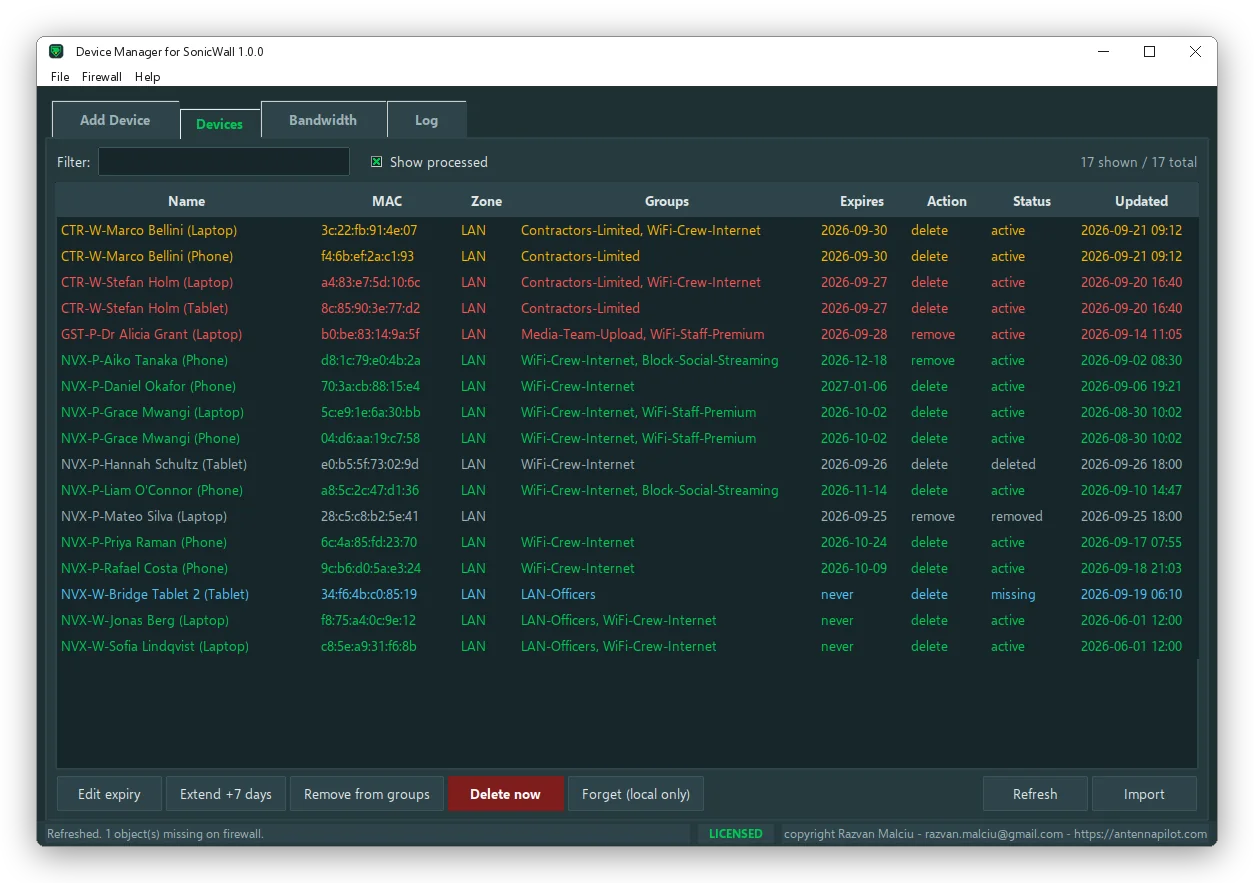
| Colour | Meaning |
|---|---|
| Green | Active, no expiry or expiry still ahead |
| Amber | Expires in the next few days |
| Red | Expired, waiting for you to process it |
| Grey | Already removed or deleted, kept for the record |
| Blue (Windows) | Missing on the firewall, deleted by hand by someone |
Refresh compares the list with the firewall and picks up group changes made by hand. Import brings in the MAC objects that already exist, so you can give them an expiry date too. Export produces the list as CSV, or XLSX on Windows, ready for a voyage report.
Try every feature free for 24 hours. No key needed. Then get a one-month full licence in exchange for your feedback. Windows and Android. Choose your platform.
Device Manager for SonicWall is independent software developed and owned by Razvan Malciu. It is not affiliated with, endorsed or sponsored by SonicWall Inc. SonicWall and SonicOS are trademarks of SonicWall Inc. Screenshots show fictional data.