
Device Manager for SonicWall manages MAC Address Objects, Address Groups, expiry dates and Bandwidth Objects through the SonicOS API, from a Windows PC or an Android phone.
Two platforms
Windows and Android compared
| Windows | Android | |
|---|---|---|
| Add devices: names, groups, expiry | Yes | Yes |
| Expired list, remove from groups or delete | Yes | Yes |
| Duplicate name and MAC checks, rename in place | Yes | Yes |
| Import, refresh, Bandwidth Objects | Yes | Yes |
| Export | CSV and XLSX | CSV |
| Scan the MAC with the camera | - | Yes |
| Random MAC warning | - | Yes |
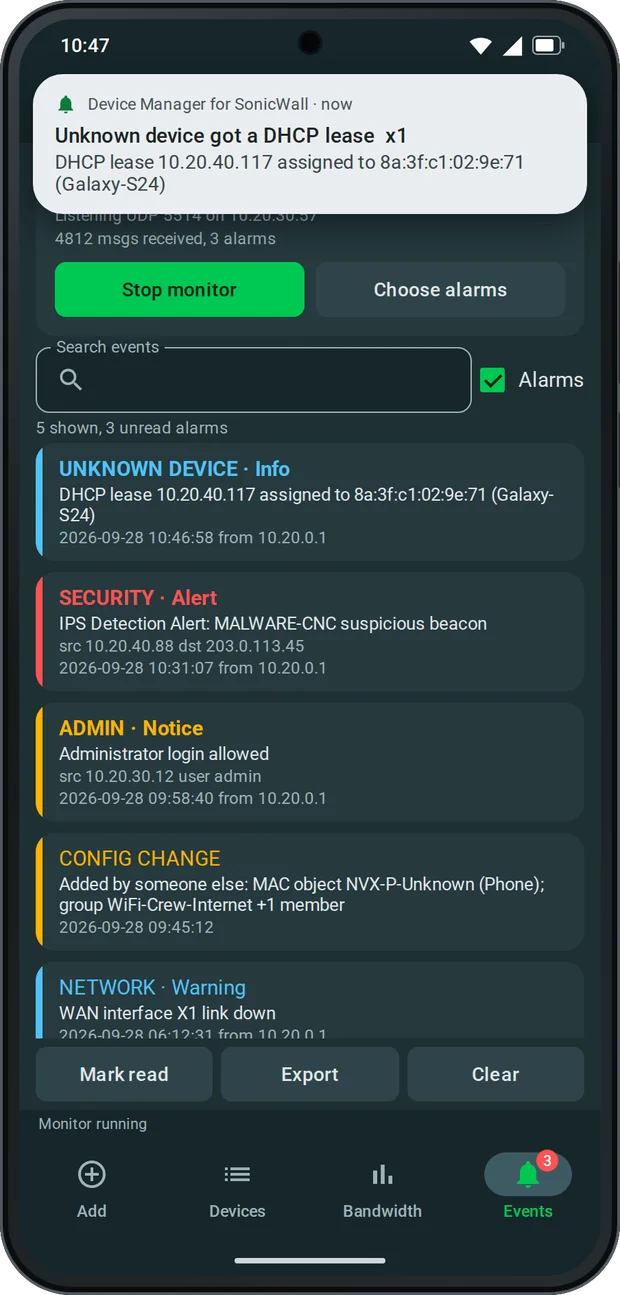
| Syslog alarms and configuration change detection | - | Yes |
Android only
SonicWall syslog alarms on Android
The Android app can receive the firewall’s syslog directly on the ship Wi-Fi and raise alarms within seconds. Nothing leaves the phone. You choose which message types are an alarm, a silent notification, logged only or ignored. Ready-made rules cover security events, administrator logins and configuration commits, WAN, VPN and interface changes, and a DHCP lease given to a device that is not registered in the app. A burst of messages is folded into one notification with a counter, so it never floods the phone.
With configuration change detection on, the app also compares MAC objects, group membership and bandwidth objects every 15 minutes, and tells you what someone else added, removed or changed.
Bandwidth
SonicWall Bandwidth Objects without the web UI
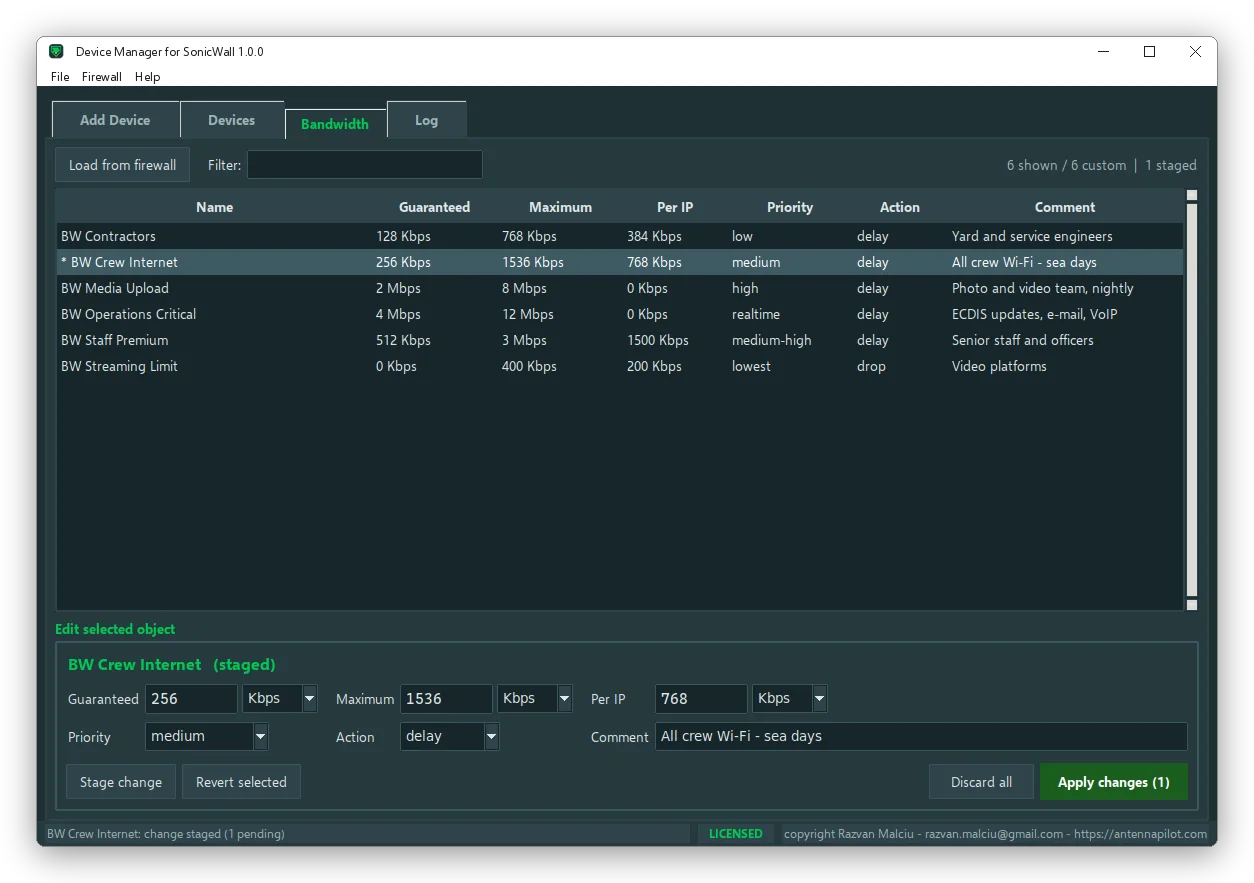
Custom Bandwidth Management objects are listed in one table. Change Guaranteed, Maximum and Per IP in Kbps or Mbps, together with Priority, Action and Comment, and stage the change: it turns amber and nothing is sent yet. Apply sends every staged change in one session with a single commit. The app checks that Guaranteed and Per IP never exceed Maximum.
Safe by design
Short API sessions, one commit, nothing half done
- Every action is one short API session: login, changes, one commit, logout. The firewall’s single configuration session is never left open.
- If anything fails, the pending changes are discarded and nothing is committed.
- Group membership is always read from the firewall before a removal, so objects moved by hand are handled correctly.
- The firewall password is stored encrypted, with Windows DPAPI or the Android Keystore.
- Every change is written to a local log and audit trail.
- Firewall data, device lists and passwords never leave your PC or phone. The app only contacts antennapilot.com to check the licence and look for updates, and works without internet if that check fails.
Requirements
Requirements: SonicOS 7, Windows or Android
| Firewall | SonicWall with SonicOS 7, SonicOS API enabled with HTTP Basic authentication. Developed and tested on a TZ670 with SonicOS 7.3. |
| Network | The PC or phone must reach the firewall management interface over HTTPS. |
| Windows | Windows 10 or 11 |
| Android | Android 8.0 or later |
Does the firewall know the expiry dates?
No. SonicOS has no expiry for address objects, so the dates live in the app’s own database. Keep the app on the same PC or phone and export the list before reinstalling.
Not affiliated with SonicWall Inc. SonicWall and SonicOS are trademarks of SonicWall Inc.